

Australian and New Zealand based CIOs, are caught between a rock and a hard place. The board expects us to accelerate digital transformation and slash technical debt, but we’re doing it amidst a severe local IT skills shortage and under some of the strictest data privacy and cybersecurity regulations globally. For most of us, legacy codebase transformation and the associated technical debt is an anchor dragging down the ability to transform. However the rapid maturation of generative AI gives us a serious lever to pull. Aviato have seen firsthand how AI assisted legacy code refactoring can drastically cut down delivery times. Without the right guardrails in place, we’re just speeding up the rate at which we introduce novel security vulnerabilities, compliance risks and increase our technical debt. Here is how we approach mapping governance, security controls, and compliance steps so we can leverage AI for secure code modernization while keeping security and the risk committee happy. 1. Facing Our Unique Australian Local Challenges Before we let our engineering teams loose with AI tools, we have to look closely at the Australian CIO challenges we deal with daily. We can’t adopt AI with a Silicon Valley “move fast and break things” mindset. We have to balance speed against: To survive this, our adoption of AI can’t be a grassroots, developer led free-for-all. It demands top-down, governance and control. 2. Laying Down the Law: Governance for AI in Software Development We’ve learned that effective governance and security controls for AI in software development are about giving teams a safe paved road to drive on. 3. Shifting Left: Security Controls for Modernization AI generated code isn’t inherently secure in fact, it often regurgitates the insecure patterns it was trained on. To achieve true secure code modernization, our security controls have to shift even further left. 4. Translating AI to the Risk Committee: Compliance Management “The AI wrote it” isn’t an acceptable excuse for a breach. Effective compliance risk management means mapping our technical controls directly to our local obligations. Here’s the cheat sheet I use: The Regulator / Standard The AI Refactoring Risk How We Control It Privacy Act (OAIC) Accidental exposure of PII embedded in legacy databases to external AI vendors. Mandatory local data masking; strict use of enterprise AI tiers with zero retention clauses. APRA CPS 234 Introduction of unauthorized or poorly tested code changes that threaten infosec. Enforced HITL peer reviews; strict role-based access control (RBAC) in our CI/CD pipelines. SOCI Act Supply chain attacks introduced via AI hallucinated or vulnerable third-party libraries. Automated SBOM generation; continuous vulnerability scanning of all dependencies. ASD Essential Eight Circumventing application control or introducing unpatched vulnerabilities. Rigorous penetration testing on refactored apps; restricting AI tool access to authorized personnel only. 5. My Advice: Don’t Boil the Ocean If you want to reduce delivery time without spiking your risk profile, do not go for a “big bang” rollout. Here is the phased approach that works for us: Transforming a legacy codebase doesn’t have to be a multi year, high risk nightmare anymore. Aviato Consulting can do the whole thing for you, or work with you to build internal capability. By wrapping our AI tools in robust governance, localized compliance mapping, and strict security controls, we can safely clear our technical debt and finally give our engineering teams the velocity they and the business are asking for. See Also: Aviato App Development or AI & ML
Cloud
This is a selection of posts about partnership with Google Cloud, and how we can help you implement Google Cloud services to solve your business problems.
This is a parent catagory with subordinate catagories to cover off Cyber Security, Infrastructure, and our AI and ML practice.

AI Will Change The World But When?
Globally, over 1.2 billion people adopted AI tools within three years of launch, establishing artificial intelligence as the fastest spreading technology in human history. Within 3 years of the release of OpenAI to the public in 2022 surveys are showing that ~45% of Australian adults had used GenAI (40% for US in a survey 6 months earlier), 58% of adults globally in a KPMG survey use it for work regularly. The penetration rate of AI has significantly eclipsed the historical adoption curves of both the personal computer, which only reached a 20% adoption rate after three years, and the internet, which required two years to reach a 20% milestone. However, in contrast to the rapid adoption we are seeing, blog articles on how AI is going to destroy the job markets present a starkly different, ominous view. For instance, one post opens with: “The unemployment rate printed 10.2 per cent this morning, a 0.3 per cent upside surprise. The market sold off 2 per cent on the number, bringing the cumulative drawdown in the S&P to 38 per cent from its October 2026 highs,” – (Citrini Research: THE 2028 GLOBAL INTELLIGENCE CRISIS) This Citrini Research article had a significant impact on the stock market, including a 10% hit to Atlassian, dropping with other SaaS stocks globally. I believe, however, that the AI doom and gloom is overblown, or at least the timelines are. It is certainly a disruptive technology, just like the steam engine, the car (I am not going to call it “an automobile”), the PC, and Blockbuster Video. We can look to tangible historical examples that illustrate this slower, drawn-out process of change: Google’s Gemini has informed me that this is known as the Solow Paradox (Wikipedia calls it the Productivity Paradox), the Nobel laureate economist Robert Solow, famously observed, “You can see the computer age everywhere but in the productivity statistics”. The paradox describes the lagging productivity growth compared to rapid technology advances. Aviato Consulting works primarily with large enterprise customers deploying AI, so we have seen first hand that the Solow Paradox exists. Economists have studied this and to summarise a lot of research, the productivity gains only materialize when technological innovation is paired with deep institutional reform, training, and rethinking business processes. In my experience these take 5-10 years, the shift from on premise servers when companies would build or rent datacentres and then fill them with servers to the cloud where Google, AWS, and Microsoft rent you compute capacity is still ongoing and Google released it’s cloud in 2008. During this process the technology will often be seen as underperforming, in one study “adopting banks experience a 428 basis point decline in ROE as they absorb GenAI integration costs.” (The Innovation Tax: Generative AI Adoption, Productivity Paradox, and Systemic Risk in the U.S. Banking Sector) Historical Timelines of Corporate Disruption The argument that artificial intelligence will require between five and over ten years to fundamentally replace human labor is heavily supported by analyzing historical data, which shows a range from four to well over a decade before new innovations can displace established legacy tech. The Automation Paradox: Job Growth Preceding Decline When projecting the timeline for artificial intelligence to replace white collar workers, we must account for the “Jevons Paradox” which can be summarised as “when a labour saving technology in a profession leads to an increase in employment within that sector, as the technology lowers the cost of the service, thereby increasing demand”. The ATM in the 1970s is a great example. At the time analysts predicted that the ability for machines to autonomously dispense cash and accept deposits at any hour of the day or night would decimate the human bank teller profession. In the 1970s and 1980s, ATMs became a staple service. The catastrophic job losses predicted, however, did not materialize. Because ATMs significantly reduced the operational cost of running a physical bank branch, financial institutions subsequently opened more branches to capture greater market share leading to the total number of bank tellers in the US doubling, rising from approximately 300,000 in 1970 to nearly 600,000 by 2010. The nature of the teller’s job was altered, removing them from the low value deposit/withdrawal work, and moving up into more customer relationships (and somewhat annoyingling trying to always upsell me a mortgage or credit card). The decline in teller numbers did eventually eventuate, when online banking became prominent, dropping 30% between 2010 and 2024. Structural Friction in Enterprise AI Adoption While generative AI can write code, review legal contracts, and generate marketing copy in seconds, integrating these capabilities into the rigid, complex architecture of the ASX300, and Fortune 1000 companies that Aviato Consulting works with, their governance, security, and the way these companies are structured introduces immense friction. The words “governance” and “security” have many times stopped an IT project in its tracks, these teams create a chasm between consumer utility and enterprise scalability. Pushing a project that you can complete on a MacMini with Open Claw into an enterprise turns it into a multi year timeline for ASX300’s and subsequently delaying white collar displacement. According to 2024 research by Accenture detailing enterprise operations maturity, a staggering 61% of corporate executives reported that their data assets were “not ready for generative AI”. Further 70% of companies found it exceedingly difficult to scale AI projects that relied on proprietary, unstructured data, which remains largely ungoverned in most organizations. Establishing a centralized data governance architecture, cleaning decades of historical data, and migrating to cloud systems is an absolute prerequisite for deploying autonomous AI agents (See my point about shift to cloud above) This ensures that AI remains trapped in “pilot purgatory” for the foreseeable future. A recent Gartner Report showed a very top heavy AI Maturity Funnel: Conclusion The rapid consumer adoption of generative AI is undeniably unprecedented, but conflating this with immediate wholesale job displacement ignores centuries of technological history. As evidenced by everything from the transition from horses to cars to

The 4-Layer Architecture of AI Systems
The word “agent” gets thrown around a lot right now. If you string two API calls together, someone is going to call it an autonomous AI agent. But if you’ve actually tried to build a system that you can run in production, and get real work done without constant hand holding, you know this is not going to cut it. Building production ready agentic workflows requires a specific architecture. Over a lot of customer engagements Aviato have found it easiest to think about this stack in four distinct layers plus the underlying plumbing that keeps it all from exploding in production. Here’s a practical look at how the modern agentic stack is actually built, and what you need to productionise AI Systems: Layer 1: Large Language Models (LLM’s) At the absolute bottom of the stack sits your foundation model. This is where you’re dealing with the raw mechanics: pinging APIs, handling tokenization, tweaking inference parameters, and prompt engineering. You give it instructions, and it responds. On its own, it doesn’t care about your long term objectives, it forgets what happened five minutes ago, and it definitely can’t orchestrate a complex, multi step workflow. To get that, you have to move up the stack. Layer 2: Agents This is where we take a reactive model and actually turn it into an agent. We’re wrapping the LLM in code that gives it persistence, structure, and a goal. Instead of just answering a question, a Layer 2 agent can actually pursue an objective. To make that happen, you have to bolt on a few things: Unlike a standalone model, a Layer 2 agent acts, looks at the intermediate result of that action, and adapts its next move based on what just happened. Layer 3: Multi-Agent Systems Eventually, you’re going to give a single agent a task that’s simply too big. The context window is exhausted, it loses focus, and the whole thing falls apart. That’s when you need to bring in a multi-agent system. Instead of writing one prompt to rule them all, you build a distributed team of specialist sub agents. This layer handles the collaboration between them, including: By splitting up the work, the whole system becomes drastically faster, more robust, and way less prone to hallucinating under pressure. Layer 4: Agentic Ecosystems When you have a bunch of specialized agents running around asynchronously, things turn into chaos fast. Without structured orchestration, a multi-agent setup is just a cool local demo. With it, you get a scalable, reliable system that can actually survive real-world constraints. For a reliable production system you need: These are not sexy, but are how you ensure accountability, mitigate failure modes, and actually preserve trust in the automated decisions your software is making. Aviato have run a number of PoC’s our current cost is 6 weeks and 80k AUD, to prove an agentic system can meet your needs. Moving these to production requires a team (or Aviato SRE’s) to manage them, and a lot of additional thought.

Why Your AI Strategy Needs More Than Just Tech
The hype around Artificial Intelligence has moved from the theoretical to the tangible. With businesses moving more of their experiments towards production use cases. While media reports of 90% AI project failure may be exaggerated, a significant number of promising initiatives still falter before reaching production. My experience helping large enterprises shows this isn’t due to a lack of enthusiasm, funding or technology, but a failure to build the necessary strategic scaffolding. While I have seen much smaller numbers than 90% of these projects fail, we are seeing a few too many. Some projects finish on time, and budget, and deliver what was asked but not move into the production phase. The challenges we have identified are not a lack of funding, ambition or technology, it’s a failure to build the necessary strategic and technical scaffolding required to productionise AI. Moving from isolated pilot projects to scaled, AI is a journey and the people, and change aspects need to be well planned out. Scaling AI successfully has a number of prerequisites: Programme & Change Management When Cloud became a hot topic, large programmes of work were spun up with governance teams, and PMO offices, and migration were segmented into the 7 R’s, and then split further into waves. AI is going to be substantially more transformative than moving workloads to the cloud, and the impact on people is going to be far greater, but little thought has been given to the programme and change management aspects. This requires a fundamental shift in thinking from treating AI as a series of disjointed tech experiments to embedding it as a core, strategic capability encompassing the tech teams, change teams, and spinning up the required PMO office and developing a strategy to manage the change that incorporates your people. Cloud Foundations For our clients, this often means building out a proper resource hierarchy in the cloud, defining identity and access management protocols, implementing robust security controls, and establishing clear cost governance mechanisms. This gives everybody assurance that data will not be leaked, or used to train models on proprietary data, as well as being foundation for giving the right people the right access. One thing that is still unclear to execs is what the infrastructure cost of AI is going to be, in our experience it is often magnitudes cheaper than exec’s are estimating, but those savings are quickly swallowed up by the required change management. Use Case Identification A focus on solving critical business problems is something that technologies forget about. Aviato are sure that a disciplined framework for identifying and prioritizing use cases is what separates the projects that realise enterprise value from those that end up being scrapped. This does not need to be complex, and a bottom up approach seems to get the most traction, the employees on the coal face are acutely aware of what parts of their jobs they want to automate away. What we have seen work: Broad or Deep One area where expectations are often misaligned is around what the AI Implementation is supposed to do, Google Agentspace, or Glean is one example of a broad enterprise wide AI implementation that is familiar, it will summarise all of your companies knowledge and provide a Chat interface similar to Chat GPT or Gemini but trained on your company data. These agents are great at saving time for a broad number of use cases but are very unlikely to take autonomous actions. The other hand we have the deep agents, these are very specific, they will help Peter from the legal team review contracts faster, or Mary from security find security details in logs, these agents will more likely take autonomous actions, and be very specific to a role. When implementing a broad AI platform, a lot of people are expecting something that will take autonomous actions, and while Google’s Agentspace has a very exciting roadmap it is just not at the level of doing this deep work yet. Centralised Framework Once you have a production AI agent the job is not over, you now need a way to manage this, and bring a structured approach to optimising it. What happens when OpenAI or Google release a new model, do you switch immediately? Do the benchmarks they provide match your use case? In the same way as we run software updates for the newest version of Java, a structured approach to life cycling system prompts and agents is required, and validating these against metrics that matter to your use case, latency is key for a chat bot, accuracy is key for a software engineering agent, and cost is a consideration to all use cases. Google is definitely leading the way with their Vertex AI Evaluation tooling, but skipping over this and “YOLOing” changes to production agents is a problem waiting to happen. Conclusion Aviato are sure the future of the professional workforce is a partnership between humans and AI agents. However, this future won’t arrive by accident. It must be built with a disciplined, structured approach that treats AI not as a series of tech experiments, but as part of the core business strategy, and run as a transformation project.
Deploying ADK Agents to Agentspace
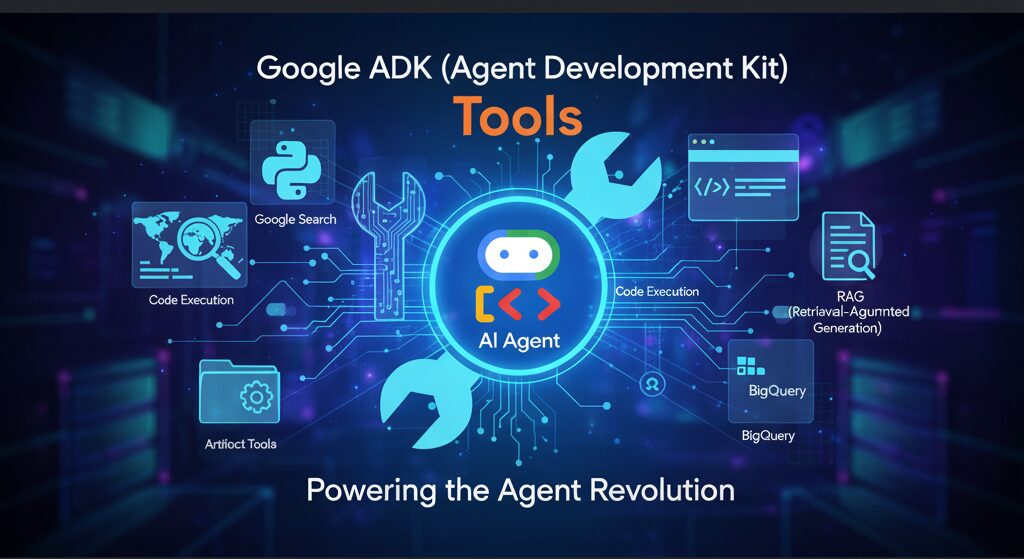
This post outlines the steps required to deploy an Agent Development Kit (ADK) Agent from Agent Engine to Agentspace. Hopefully Google publish some docs on how to do this and thanks to Andy Hood for figuring this out. If you do need help with this reach out via https://aviato.consulting Follow these instructions carefully to ensure a successful deployment. Note Both Agent Engine and AgentSpace have been recently renamed as part of Google’s AI branding, so you will still see references in the APIs to their previous names: Prerequisites Before beginning the deployment process, ensure you have the following: Instructions for developing and deploying the ADK Agent are outside of the scope of this document. Deployment Steps The deployment process involves several key steps: Step 1: ADK Agent deployed to Agent Engine LOCATION=us-central1PROJECT_ID=aviato-project-idTOKEN=$(gcloud auth print-access-token)curl -X GET “https://$LOCATION-aiplatform.googleapis.com/v1/projects/$PROJECT_ID/locations/$LOCATION/reasoningEngines” \ – header “Authorization: Bearer $TOKEN”Response (truncated):{“reasoningEngines”: [{“name”: “projects/123456789/locations/us-central1/reasoningEngines/123456789″,”displayName”: “ADK Short Bot”,”spec”: {…} Note: when obtaining the ID via the Google Cloud Console, the ID may have the Project Id in the resource name. The AgentSpace API appears to require the Project Number instead. Step 2: Obtain the Id of your AgentSpace application Option 1: Use the AgentSpace menu in the Google Cloud Console to obtain the ID of your AgentSpace application: Option 2: Use the AgentSpace List Engines REST API to list the current AgentSpace applications in your project: # Note AgentSpace currently only supports the global, us and eu multi-regionsLOCATION=globalPROJECT_ID=aviato-project-idTOKEN=$(gcloud auth print-access-token)curl -X GET “https://discoveryengine.googleapis.com/v1alpha/projects/$PROJECT_ID/locations/$LOCATION/collections/default_collection/engines” \ – header “Authorization: Bearer $TOKEN” \ – header “x-goog-user-project: $PROJECT_ID”Response (truncated):{“engines”: [{“name”: “projects/123456789/locations/global/collections/default_collection/engines/agentspace-andy_123456789″,”displayName”: “Agentspace – Andy”,”createTime”: “2025–06–05T22:55:44.459263Z”,…} Important Notes Step 3: Publish the Agent Engine ADK Agent to AgentSpace application The below requires the Project Number, e.g. 123456789, instead of the Project Id, e.g. aviato-project. To obtain the project number use: gcloud projects describe PROJECT_ID Use the AgentSpace Create Agent REST API to publish your Agent Engine ADK Agent to your AgentSpace application. In the body of the POST request, ensure that you replace the reasoningEngine name with the ID returned in Step 1. # Note AgentSpace currently only supports the global, us and eu multi-regionsLOCATION=globalPROJECT_ID=aviato-project-idTOKEN=$(gcloud auth print-access-token)# Use the AgentSpace Application ID returned in the previous stepAGENTSPACE_ID=agentspace-andy_1749164028618curl -X POST “https://discoveryengine.googleapis.com/v1alpha/projects/$PROJECT_ID/locations/$LOCATION/collections/default_collection/engines/$AGENTSPACE_ID/assistants/default_assistant/agents” \ – header “Authorization: Bearer $TOKEN” \ – header “x-goog-user-project: $PROJECT_ID” \ – data ‘{“displayName”: “My ADK Agent”,”description”: “Description of the ADK Agent”,”adkAgentDefinition”: {“tool_settings”: {“tool_description”: “Tool Description”},”provisionedReasoningEngine”: {“reasoningEngine”: “projects/123456789/locations/us-central1/reasoningEngines/123456789”}}}’ Response: {“name”: “projects/123456789/locations/global/collections/default_collection/engines/agentspace-andy_1749164028618/assistants/default_assistant/agents/123456789″,”displayName”: “My ADK Agent”,”description”: “Description of the ADK Agent”,”adkAgentDefinition”: {“toolSettings”: {“toolDescription”: “Tool description”},”provisionedReasoningEngine”: {“reasoningEngine”: “projects/123456789/locations/us-central1/reasoningEngines/123456789″}},”state”: “CONFIGURED”} Important Notes Step 4: Grant Required Permissions In your project, AgentSpace runs under the Google-provided Discovery Engine Service Account with a name such as: service-$PROJECT_NUMBER@gcp-sa-discoveryengine.iam.gserviceaccount.com By default, this service account only has the Discovery Engine Service Agent role. This is insufficient to invoke the Agent Engine ADK Agent and you may get the error “I’m sorry, it seems you are not allowed to perform this operation when invoking your ADK Agent in AgentSpace. If you receive this error, grant the Vertex AI User role to the service account: e.g PROJECT_ID=aviato-project-idDISCOVERY_ENGINE_SA=service-123456789@gcp-sa-discoveryengine.iam.gserviceaccount.comgcloud projects add-iam-policy-binding $PROJECT_ID \ – member=”serviceAccount:$DISCOVERY_ENGINE_SA” \ – role=”roles/aiplatform.user” Troubleshooting If you encounter any issues during deployment: By following these instructions, you should be able to successfully deploy your Agent Engine agent to Google Agentspace.
MCP and Agentic AI on Google Cloud Run
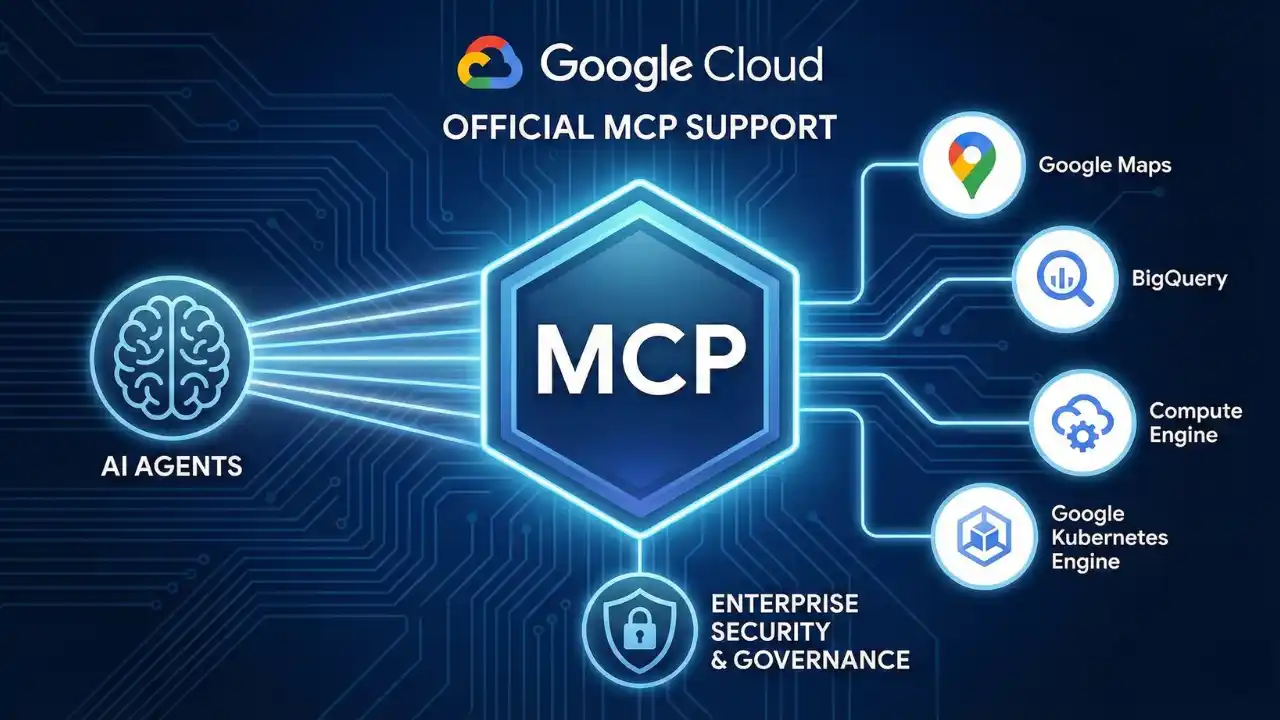
We’re have moved from AI that primarily responds via text, to AI that manipulates thinngs. These “agentic AI” systems use tools to do that manipulation. The way they interact with tools is via Model Context Protocol (MCP), this open source standard for helping LLM’s connect and use external data sources, or tools. How and where you run these tools is the purpose of this article, the TL;DR is: “Google Cloud Run”. But read on if you want the details, and points to look out for. Why Cloud Run for Agentic AI? When it comes to deploying these sophisticated agentic AI Google Cloud Run emerges as a great choice, its serverless nature is super scalable, cost efficient, and requires no ops team to keep it running. Aviato often recommend it as part of our AI Deployment Services. Further it can easily connect to any Databases or LLM’s running on Google Vertex AI without leaving your network (VPC). What previously might have required dedicated SRE and DevOps teams can now be tackled by an individual developer, freeing up time to innovate on the actual AI Agent. Architecting Your Agent on Cloud Run So, what does a typical agentic AI architecture on Cloud Run look like? At its core, you’ll have: MCP Servers Cloud Run is a well known pattern for all of this, but with MCP being so new and the focus of this article it might be best to take a step back and explain what Model Context Protocol (MCP) does . MCP directly addresses the inability of an LLM to use tools; it provides a standardized, structured way for systems to expose their capabilities to language models. Here are some examples: Further the use of MCP lets us change our LLM as new ones are released to improve your agents without rebuilding from scratch, a great benefit of using VertexAI we can do this with a line of code. Practical MCP Server Deployment on Cloud Run Here’s a quick overview on how you can get your MCP servers up and running on Cloud Run for non production uses. Deployment from Container Images If your MCP server is already packaged as a container image (perhaps from Docker Hub), deploying it is straightforward. You’ll use the command: gcloud run deploy SERVICE_NAME – image IMAGE_URL – port PORT For instance, deploying a generic MCP container might look like: gcloud run deploy my-mcp-server – image us-docker.pkg.dev/cloudrun/container/mcp – port 3000 Deployment from Source If you are deploying a production use case, this is the recommended approach, if you have the source code for an MCP server (Perhaps from GitHub) you can deploy it directly. Simply clone the repository, navigate into its root directory, and use: gcloud run deploy SERVICE_NAME – source . Cloud Run will handle the building and deployment, or you can work this into a CI/CD pipeline for a more production ready use case. Cloud Run does not support MCP servers that rely on Standard Input/Output (stdio) transport. This constraint implicitly pushes MCP server development towards web-centric, network-addressable services, which aligns better with cloud-native architectures and scalability. Developers should use frameworks like FastMCP (the standard Python SDK wrapper) using transport=”streamable-http” to natively align with Cloud Run’s architecture. State Management Strategies for Agentic AI on Cloud Run Fortunately, Google Cloud provides robust solutions for managing the various types of state your agentic AI systems will require: Short Term Memroy / Caching For data that needs fast access, like session information or frequently accessed data for an agent, connecting your Cloud Run service to Memorystore for Redis is an excellent option.2 Long-term Memory / Persistent Knowledge For storing conversational history, user profiles, or other forms of persistent agent knowledge, Firestore offers a scalable, serverless NoSQL database solution. If your agent deals with structured data or requires the powerful RAG capabilities discussed earlier, Cloud SQL for PostgreSQL or AlloyDB for PostgreSQL are ideal choices or one of the many that work on Google’s Vertex AI RAG Engine. Orchestration Framework Memory Many AI orchestration frameworks, such as LangChain, come with built-in memory modules. For example, LangChain’s ConversationBufferMemory can store conversation history to provide context across multiple turns. These often integrate with external stores for persistence. Table 1: State Management Options for Agentic Systems on Cloud Run Choosing the right state management approach depends heavily on the specific requirement: The Challenge of Stateful MCP Servers As highlighted, MCP servers using Streamable HTTP transport might need to maintain a persistent session context, especially to allow clients to resume interrupted connections. The core challenge here, (as of June 2025), is that many official MCP SDKs lack support for external session persistence, aka storing session state in a dedicated service like Redis. Instead, they often keep the session state in the memory of the server instance. This makes horizontal scaling problematic, if a client’s subsequent request is routed by a load balancer to a different instance from the one that initiated the session, the session context is lost, and the connection will likely fail. This limitation in current MCP SDKs points to a maturity gap in the ecosystem and until SDKs evolve to better support externalized state, designing MCP servers to be stateless is the more resilient cloud native pattern where feasible. Cloud Run Session Affinity to the Rescue? Cloud Run offers a feature called session affinity that can help mitigate this issue. When enabled, Cloud Run uses a session affinity cookie to attempt to route sequential requests from a particular client to the same revision instance. You can enable this with a gcloud command: gcloud run services update SERVICE – session-affinity Or via the Google Cloud Console or YAML config. However, it’s crucial to understand that session affinity on Cloud Run is “best effort”. If the targeted instance is terminated (due to scaling, etc) or becomes overwhelmed (reaching maximum request concurrency, etc), session affinity will be broken, and subsequent requests will be routed to a different instance. So if the in memory state is absolutely critical and irreplaceable, session affinity alone is not
Service Extensions for Google Cloud App LB’s
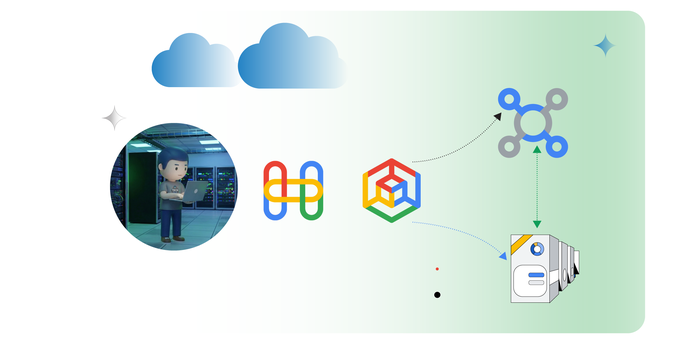
If you run a website or app on Google Cloud and you’re using their Application Load Balancer to distribute traffic but wish you had a way to: Add or modify HTTP headers: Insert new headers for specific customers. Or re-write client headers on the way to the back end. Implement custom security rules: Add your own logic to block malicious requests or filter sensitive data. Perform custom logging: Log user-defined headers or other custom data into Cloud Logging or other tools. Rewrite HTML on the fly: Dynamically adjust your website content based on user location, device, etc Script Injection: Rewrite HTML for integration with Analytics or reCAPTCHA Traditionally, you’d have to achieve this by setting up separate proxy servers or modifying your app. With Service Extensions, you can do all this directly within your Application Load Balancer. How Service Extensions work: They are mini apps: Service Extensions are written in WebAssembly (Wasm), these are super fast, and secure. They run at the edge: This means they on the load balancer, reducing any potential impact to latency. They’re fully managed: Google Cloud takes care of all the hard parts. Why would anyone use Service Extensions? Flexibility: Tailor your load balancer to your specific needs without complex workarounds. Performance: Improve response times by processing traffic at the edge. Security: Enhance your security posture with custom rules and logic. Efficiency: Reduce operational overhead by offloading tasks to the load balancer. How to get started: Check the docs from Google, start with Service Extensions Overview then Plugins Overview and How to create a plugin finally some Code Samples Also definitely worth checking out WASM if you have not already at https://webassembly.org/ Service Extensions sit in the Cloud Load Balancing processing path. Image to the left shows this.

Vendor Lock-in: We think its a myth.
The Myth Of Vendor Lock-in The cloud has revolutionized how businesses operate, but we often get stuck in weeks-long project delays trying to avoid vendor lock-in. This article highlights whether this is something you should be concerned about, or if your efforts are best focused elsewhere. I guess it is best to start on what vendor lock in actually is. Understanding Vendor Lock-in Vendor lock-in occurs when a customer becomes reliant on a specific vendor’s products or services, making it difficult or expensive to switch vendors. The business risk here is usually either: That one vendor could raise prices, and you would be stuck paying the higher price (VMware/Broadcom comes to mind) Vendor has multiple outages, or poor support (VMware/Broadcom comes to mind) The vendor goes bankrupt, or is acquired by a competitor, and your business along with it The Cloud Hyperscaler Landscape Cloud hyperscalers like AWS, Azure, and Google Cloud have significantly mitigated the risks of vendor lock-in. Here’s why: Open Standards, Open Source, and Interoperability: Hyperscalers increasingly embrace open standards and APIs, Containers, and Kubernetes is one example with every cloud having multiple ways to run standard docker containers, and these can be moved between clouds, with no changes. Each cloud does have proprietary services, especially when we look at databases, but the effort to migrate and modify these is typically way lower than it has been in the past. Using one of these databases to avoid vendor lock-in with AWS/GCP/Azure can also just mean you are locked into MongoDB, or an open source DB that is hard to move from. Bankruptcy: If any of these vendors does go bankrupt it will be a slow process, Google, Microsoft or Amazon are some of the wealthiest companies in the world, so I think we can discount this. Data Portability: Hyperscalers offer tools and services to simplify data migration and portability. While moving large datasets can still be complex, the process is becoming more manageable, hyperscalers will often fully or partially fund the migration from a competitor. In addition highly performant network connections between clouds are available or even physical devices to move the largest of datasets quickly. Market Competition: The intense competition among cloud hyperscalers drives down prices, there has only been a few times where some services increased in cost. This competition is not likely to reduce in the near term. Mitigating Vendor Lock-in Concerns While the risks of vendor lock-in are lower with cloud hyperscalers, if this is a concern there are a few steps to mitigate the effort if you ever do need to migrate: Design for Portability: Architect applications and data structures with portability in mind from the outset Avoid Proprietary Services: Minimize reliance on vendor-specific databases that lack equivalents on other platforms Conclusion The cloud hyperscaler era has resulted in strong competition which has significantly diminished the concerns of vendor lock-in. Open standards, data portability, and market competition have allowed businesses to focus less on lock-in and more on transforming their business. While some level of lock-in will always exist, it is about choosing where you are locked in, if you go all open source, and build your own servers you will be locked in to using this stack. We believe the focus should shift from fearing vendor lock-in to strategically leveraging the cloud’s capabilities to drive innovation and business growth.

Getting Started with GCP is easy…..but not so fast.
Getting Started with GCP is easy…..but not so fast. Transcript Google makes it easy to get started with Google Cloud but at the expense of some of the controls that large Enterprises need to have when they’re running workloads on any public Cloud now Google do this so that developers can very easily get started if they made it really hard to start using Google Cloud people would use one of the other clouds that was a little bit easier to use however when you start putting production workloads on there that might have customers information in them you need to revisit that security and put some controls around it setting this up the right way is not hard Google even released the code to build all the infrastructure and put it on GitHub you can easily find it if you Google Fast fabric the first result will be GitHub result for Google Cloud’s Professional Services team where they’ve put that code that you can run and enforce all of their best practices for you now if you need help running this and it can be a little bit complex or if you want any advice on how to get started with it hit me up I’m always happy to talk about this kind of stuff thanks

? AI Just Got a HUGE Upgrade (And You Need to Know Why)
? AI Just Got a HUGE Upgrade (And You Need to Know Why) Transcript for all those AI nerds there’s been some pretty interesting announcements from Google number one anthro pics Claude 3 is now generally available on vertex AI Gemini Pro 1.5 and Gemini 1.5 flash are also generally available we’re over 700,000 models on hugging phe so you can use any of the models on hugging face with vertex AI for those not familiar hugging face is kind of like a repository like git lab but for AI models so people taking off the shelf models or creating their own um modifying them and then uploading them to hug phase the next thing that’s super interesting is context cing so you can use context cing with Gemini Pro 1.5 and Gemini 1.5 flash models and this lets you past some of the tokens that you have uploaded so if you have uploaded um video and you want to ask multiple questions about it you don’t need to upload that video each time which is obviously going to be charged you can upload it once and ask multiple questions same thing if you have chat Bots with very long instructions um or you’ve got a large amount of documents and you’re asking different queries around document um the final use case I think was interesting is if you have a code repository and you’re looking to fix a lot of bugs upload it once C that context and then can do a lot of careers against it reducing both the cost and the latency to get those insights um if you need help with any of this feel free to reach out always happy to have a CH thank you
